How Can We Help?
WC staff and WC manager kick start guide
Version 1.1 – April 2024
Last modified: 3rd of March 2024
Author: Ishi
Audience: Welcome Center staff
Welcome to Samma Karuna!
As part of your new role you may start by reading and understanding the following articles in the order suggested below:
What do you need to start:
- Access to slack app
- Welcome Center key
- Password for Welcome Center computers
- Password for the safety box
- Username and password for Oddoo Point of Sell
- A master card to access all bungalows
- A badge ID card with your name and position
General Staff:
- General Know how document
- How to work with our cloud storage
- Who to contact when you need something
- How everything works (our organizational principles)
- Guidelines on how to promote changes in the organization
- Guidelines on how to provide feedback to other members of the team
- Guidelines for our weekly staff meeting
List of reponsabilities:
A deteled list of the reponsabilities of your role (both for Welcome Center manager role as well as for Welcome Center staff role) is available at the following link:
UPDO Document of Roles and Responsibilities
You may read them and understand them. If you have any questions do not hesitte to ask your assigned mentor.
Welcome Center procedures:
- Good practices to sell at the Welcome Center (webinar)
- How to use Odoo POS to sell classes and packages.
- Daily procedure at the Welcome Center
- How to perform a guest check-in procedure
- How to perform a guest check-out
- How to schedule interviews between guests and teachers (every guest staying at the campus and every weekly an monthly pass is entitled to one or more interviews)
- How to issue a certificate and how to check if a student has been certified for a course
Reports
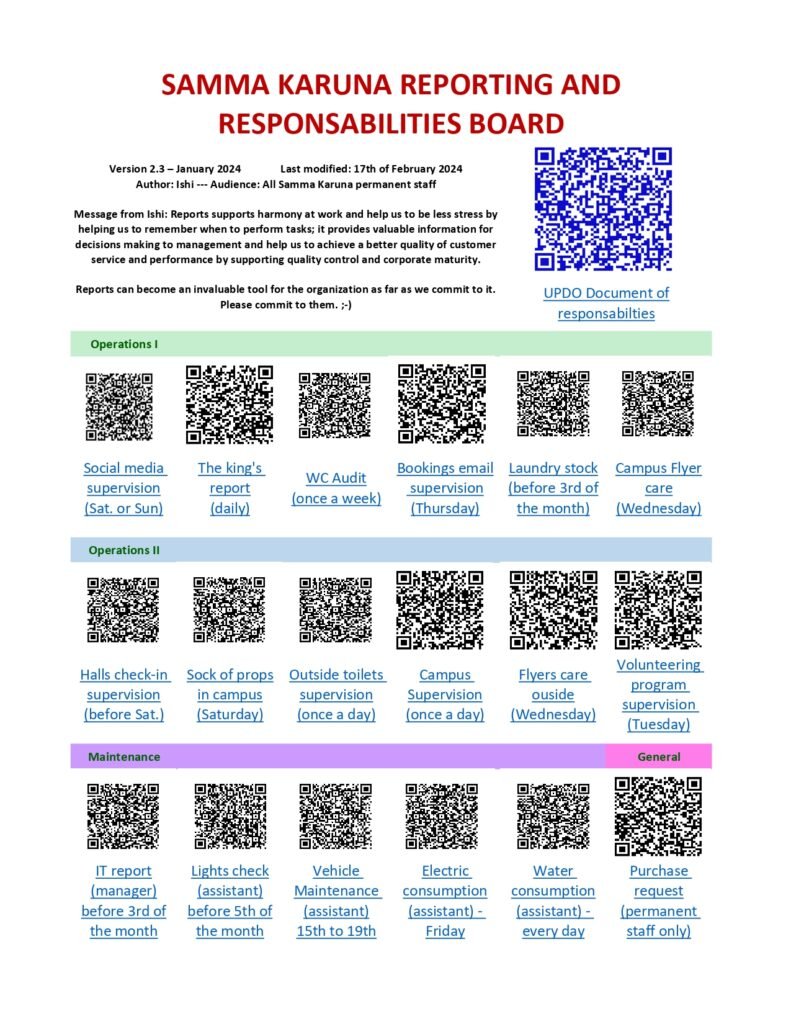
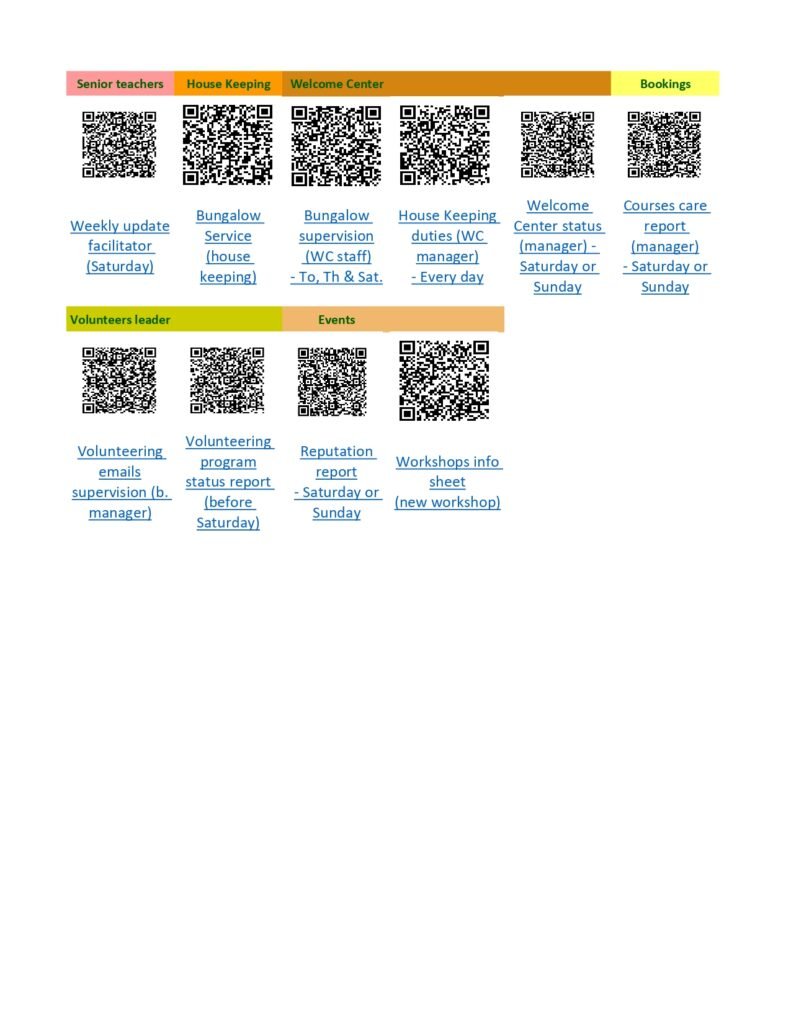
Reports are an important part of the work at the Welcome Center as well as in the rest of the orgnizational parts of the school. Reports help us to understand better how things are going and to take actions in to prevent mayor inscidents to happen.
Follow is the Reports and Reponsabilities document where you can scan the reports related to your role and fill them in as well as to access the Roles and Responsabilties spreadsheet where you can find a detailed description of the responsabilities of every member of the school per role and area.